Choosing the right compact projector can be difficult for global buyers. Product pages often promise bright images, easy setup, and cinema-like performance. Real rooms are less forgiving.
This guide examines the Mini Projector Ansi 200 through practical buying criteria. ANSI brightness matters because it reflects measured light output, not vague marketing language. A 200 ANSI projector can work well in a dark bedroom, small office, or shaded travel space. It may struggle beside a sunny window. That limitation deserves attention.
Image quality also depends on resolution, contrast, lens focus, and screen distance. A projector showing a sharp 1080p source may still use a lower native resolution. Buyers should check this specification carefully. Ports matter too. HDMI, USB, wireless casting, and audio output can simplify daily use. Compatibility is never automatic.
We will consider setup experience, fan noise, battery options, operating systems, and long-term reliability. A lightweight body is helpful, but weak cooling can reduce comfort during extended viewing. Some built-in streaming systems may lack regional applications. That is easy to overlook.
Global purchasing adds practical concerns. Check the power adapter, plug type, language support, return policy, and warranty coverage. Seller reputation also matters. Reviews with photographs can reveal real brightness and focus performance. Yet reviews are not laboratory tests.
Our evaluation is careful, not absolute. One model may suit travel better than home cinema. Another may offer stronger software support but weaker speakers. The best choice depends on the room, content, budget, and expectations. Test conditions vary. That is worth remembering.
A top 200 ANSI mini projector is defined by honest brightness, not a large number on its box. ANSI IT7.228 testing averages measurements across nine screen zones, reducing the impact of one unusually bright area. Buyers should request test conditions, including picture mode, power input, and lamp or LED ageing.
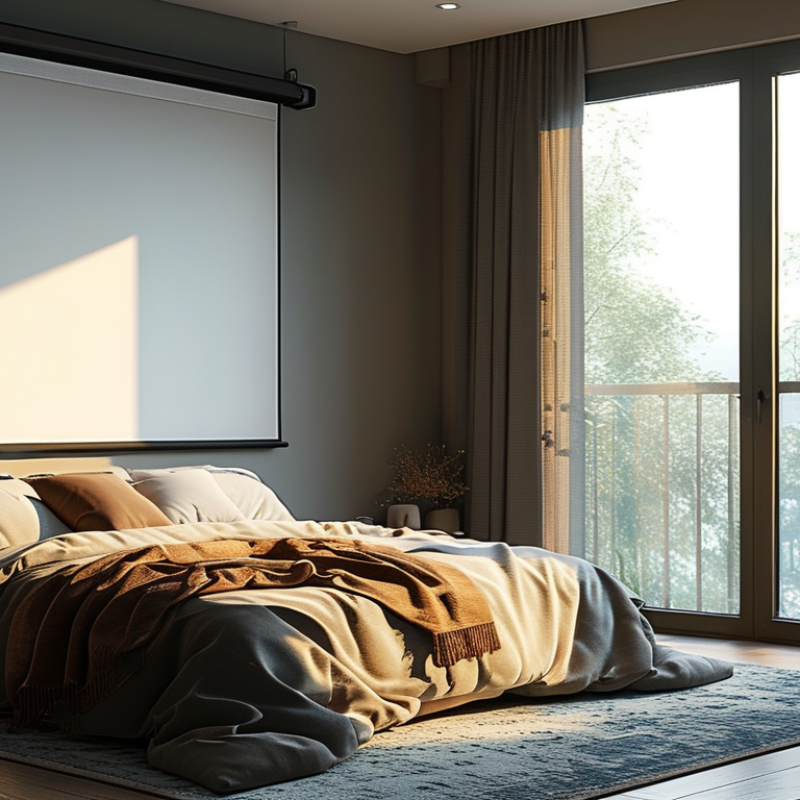
Two hundred ANSI lumens suits a dark bedroom, camping shelter, or small meeting room. On a 60-inch 16:9 screen, it produces roughly 200 lux before optical losses. At 80 inches, that falls near 113 lux. Curtains matter. White walls help, but direct ceiling light can flatten shadow detail quickly. IEC 61947-1 also emphasizes consistent measurement and documented image performance, not brightness alone.
A genuinely capable mini projector should combine stable focus, acceptable contrast, accurate color, and quiet cooling. A sharp center with soft corners is not enough. Keystone correction can reduce effective resolution, especially on small text. My practical test is simple: display a spreadsheet, subtitles, and a skin-tone image for ten minutes. If text shimmers or faces look gray, the specification has limited value. Some published claims still appear optimistic, and that deserves scrutiny. Verify independent measurements where possible.arsior
A 200 ANSI lumen projector can produce a pleasant image, but only under controlled conditions. ANSI brightness is measured using standardized screen readings, while ISO 21118:2020 defines a separate framework for projector light-output measurement. These figures describe light quantity, not guaranteed picture quality. A 40-inch, 16:9 image receives roughly 294 lux from 200 lumens before optical losses. On a 60-inch screen, that falls to about 130 lux. The larger image looks weaker.
Room light changes everything. The U.S. Department of Energy commonly references 300 lux for many indoor work areas. Even a partly lit room can therefore overpower a 200-lumen image. Curtains, wall color, and screen gain matter. A dark room with a matte white screen reveals better shadow detail. A gray screen may improve perceived contrast, but it also reduces brightness. SMPTE RP 431-2:2011 specifies about 48 cd/m² for digital cinema screens, a much higher professional target than small portable projection. Home viewing does not require that level, yet the comparison explains why dark scenes quickly lose texture.
In practical use, 200 ANSI lumens suits a 30-to-50-inch image after sunset. Subtitles remain clearer than fine spreadsheet text. Video quality also depends on contrast, focus, and color accuracy. I would not trust brightness alone. Some advertised measurements appear optimistic, and real rooms expose that weakness. A small screen is safer. Dark curtains help more than expected.
Top ANSI 200 Mini Projector for Global Buyers?
Essential Specifications Beyond Brightness
A 200 ANSI-lumen projector can work well in a dark bedroom or small meeting room. However, brightness alone does not define image quality. Check the native resolution, not the supported resolution listed on packaging. A true 1080p panel usually shows small text more clearly than a lower-resolution panel accepting 1080p signals. Contrast also matters. Deep shadows can disappear when projecting onto a gray wall.
Look at the throw ratio before buying. A short-throw design may create a 60-inch image from a limited distance. This helps in compact apartments. Manual focus should feel precise, especially near the image corners. Automatic keystone correction is convenient, but heavy correction can reduce usable detail. I once trusted automatic correction too much. The picture looked straight, yet subtitles became noticeably softer.
Fan noise deserves practical attention. A reading near 30 decibels may feel acceptable during presentations, but quiet movie scenes can reveal the difference. Check HDMI, USB, wireless casting, and audio output compatibility for your devices. Operating-system support can change by region, so verify it carefully. Global buyers should also confirm voltage input, plug type, language options, and warranty coverage. A calibrated light meter is more reliable than comparing vague “bright” claims. Still, room color, screen gain, and viewing distance can change the result. Small details matter.
At a fixed output of 200 ANSI lumens, image size strongly affects screen illuminance. The chart uses a 16:9 screen and calculates approximate illuminance with the formula: lumens ÷ screen area in square metres.
Smaller screens provide higher illuminance and better perceived contrast, while larger screens require darker rooms. Buyers should also check native resolution, throw ratio, input connectivity, operating noise, and battery runtime rather than judging performance by brightness alone.
Top ANSI 200 Mini Projector for Global Buyers?
A 200 ANSI-lumen projector suits dark bedrooms, hotel rooms, and small meeting spaces. It struggles under daylight. ANSI brightness should be measured under standardized conditions, not copied from vague “lux” claims. The International Organization for Standardization’s projection measurement guidance supports checking brightness, contrast, and uniformity together. A bright center with dark corners is still a weak viewing experience.
Compatibility matters more than a tiny chassis. Look for HDMI input, USB media support, and reliable wireless casting. GSMA Intelligence reported 4.7 billion mobile internet users in 2024, so phone-based viewing is increasingly practical. Yet wireless performance depends on local Wi-Fi bands, router settings, and software support. Content protection can also block some streaming sources. I would not assume every phone, tablet, or laptop connects smoothly. Test the actual devices before international deployment.
Tips: Confirm HDMI compatibility, wireless standards, and subtitle support. Check the manual for 100–240V, 50/60Hz input. Some units still need a region-specific plug adapter. USB-C power is convenient, but connector shape does not guarantee sufficient wattage. The World Bank’s Tracking SDG7 report recorded about 685 million people without electricity in 2022. Portable power planning remains relevant. Measure brightness in your real room, too. Dark walls and daylight can change the result.
| Evaluation Dimension | Recommended Specification or Requirement | Global Buyer Relevance |
|---|---|---|
| Brightness | 200 ANSI lumens, measured according to an ANSI-based brightness method | Suitable for dark or dim indoor rooms; daylight and large screens may require substantially higher brightness. |
| Native Resolution | Prefer native 1280 × 720 or 1920 × 1080; confirm whether a higher input signal is only supported through scaling. | Native resolution affects image sharpness more reliably than the maximum input resolution. |
| Aspect Ratio | 16:9 preferred, with support for 4:3 content where possible | 16:9 matches most current streaming video, laptops, and gaming content. |
| HDMI Connectivity | At least one standard HDMI input; HDMI 1.4-class connectivity is generally sufficient for 1080p at common refresh rates. | Works with computers, game consoles, media players, cameras, and many set-top boxes using the appropriate cable. |
| USB Support | USB-A for media playback or powering accessories; verify supported file systems and video formats before purchase. | A USB port does not automatically guarantee playback of every video, subtitle, or audio format. |
| Wireless Connectivity | Dual-band Wi-Fi capability is preferable; wireless screen mirroring compatibility should be checked for Android, iOS, Windows, and macOS. | Wireless protocols and digital-rights restrictions can vary by operating system and streaming service. |
| Bluetooth | Bluetooth audio output is useful for speakers or headphones; Bluetooth video transmission is not generally interchangeable with audio pairing. | Helps avoid cable clutter, but audio latency may matter for gaming or live video. |
| Power Input Range | Universal AC input rated at 100–240 V AC, 50/60 Hz is preferred. | A universal-rated power supply can operate across most household electrical systems without a voltage transformer. |
| Power Plug Compatibility | Provide the correct regional plug or a certified plug adapter for Type A/B, C/E/F, G, I, J, K, or L outlets. | Plug shape and voltage are separate issues; an adapter changes the physical connection but not the voltage. |
| Regional Mains Reference | North America: approximately 100–127 V; Europe, much of Asia, Africa, and Oceania: commonly approximately 220–240 V. | Actual household voltage varies by country and installation, so the rating label must be checked before use. |
| Operating Frequency | 50/60 Hz support is recommended for international use. | This covers the two principal household AC frequencies used worldwide. |
| Power Consumption | Check the wattage printed on the projector or adapter; compact LED models commonly use less power than lamp-based projectors. | The exact consumption depends on the light source, operating mode, audio output, and wireless functions. |
| Battery Operation | If battery-powered, verify rated runtime, charging input, battery capacity, and whether brightness is reduced in battery mode. | Battery performance is normally shorter at maximum brightness and with wireless streaming enabled. |
| Keystone Correction | Automatic or manual vertical keystone correction is useful; horizontal correction depends on the model. | Digital correction improves alignment but can reduce the effective image area or sharpness. |
| Throw and Screen Size | Confirm the throw ratio and recommended projection distance rather than relying only on the advertised maximum screen size. | Room depth, image brightness, focus range, and wall or screen quality determine practical screen size. |
| Streaming Compatibility | For protected streaming content, use a compatible certified streaming device connected through HDMI when built-in applications are uncertain. | Some projector operating systems cannot natively play every DRM-protected service even when internet access is available. |
| Safety and Certification | Look for applicable electrical safety, electromagnetic compatibility, and regional conformity markings. | Certification requirements differ by destination market and should be verified for commercial import or resale. |
Top ANSI 200 Mini Projector for Global Buyers?
For global buyers, comparing a 200 ANSI mini projector requires more than checking brightness. ANSI lumens provide a fairer measurement than vague “bright” claims. At 200 ANSI lumens, the image works best in a dim bedroom or small meeting room. Daylight can wash out dark scenes. Test the projector at the intended distance, not only in a dark showroom.
Check native resolution, throw ratio, focus control, and keystone correction. A compact model may advertise high supported resolution, but its native image can remain lower. This difference affects text, spreadsheets, and subtitles. Place a one-metre tape measure on the table. Then confirm the screen size without excessive digital correction. Automatic focus feels convenient, yet manual adjustment may produce sharper edges.
Global use adds practical details. Confirm input ports, wireless standards, power compatibility, plug options, and operating-system language support. A universal voltage range can reduce travel concerns, but buyers should still verify certification requirements for their market. Look for a clear warranty process and accessible technical support. Read user reports about fan noise, dust, and battery performance after several months. Specifications rarely show these weaknesses. I have found that small projectors often compromise cooling for portability. That trade-off deserves attention. Compare measured performance, return terms, and repair access before choosing the lowest-priced model.
NSI lumen projector realistically display?
A 40-inch image receives roughly 294 lux before optical losses. On a 60-inch screen, brightness falls to about 130 lux. Small screens are safer.
Daylight can wash out dark scenes and reduce visible detail. Even a partly lit room may overpower the image. Close the curtains.
Dark curtains, low wall reflections, and a matte white screen help. A gray screen may improve contrast, but it reduces brightness. Results vary.
No. Contrast, focus, color accuracy, and native resolution also matter. A projector may support high-resolution files but display a lower native image. Brightness alone misleads.
Subtitles usually remain clearer than fine spreadsheet text. Use a smaller image for detailed work. Text exposes weaknesses quickly.
Test it at the intended distance and screen size. Place a one-metre tape measure on the table. Check focus without heavy digital correction.
Check input ports, wireless standards, plug options, and power compatibility. Confirm language support, warranty access, and local certification requirements. Specifications may miss real problems.
Read reports about fan noise, dust, battery life, and long-term cooling. Compact designs sometimes sacrifice cooling for portability. That trade-off deserves attention.
Not always. Some measurements may appear optimistic in ordinary rooms. Compare standardized brightness claims with real viewing tests. I would stay cautious.
Choosing a top Mini Projector Ansi 200 requires more than checking its brightness rating. A 200 ANSI-lumen projector can deliver a clear and enjoyable image in dark or dimly lit rooms, but performance may decrease in daylight or on larger screens. Buyers should also consider contrast, native resolution, focus and keystone adjustment, fan noise, color accuracy, projection size, and operating system features. These specifications help determine whether the projector is suitable for movies, presentations, gaming, or casual travel use.
Global buyers should compare connection options such as HDMI, USB, wireless casting, and audio output to ensure compatibility with their existing devices. Power input, plug design, voltage support, battery capacity, portability, and language settings are equally important for international use. By evaluating brightness together with image quality, connectivity, power requirements, durability, and intended viewing conditions, shoppers can select a reliable 200 ANSI mini projector that fits their environment and budget.

Youxi projector