Choosing a Short Throw Led Projector in 2026 requires more than comparing brightness figures. Room size, wall distance, image quality, and daily viewing habits all affect the result. A model promising a 100-inch picture from 20 inches away may still struggle beside a bright window. Specifications need context.
Start with throw ratio and measured brightness. A lower throw ratio suits small rooms and reduces shadows across the screen. Look for ANSI or ISO lumens, not vague “lux” claims. Contrast, color accuracy, HDR performance, and input lag also matter for films, sports, and gaming. A projector may look impressive in a showroom, yet appear dull on a textured wall.
Real-world testing reveals the details.
Check fan noise during quiet dialogue. Notice whether autofocus shifts after several hours. Test HDMI, streaming apps, wireless casting, and built-in speakers before purchase. In 2026, smart software and automatic keystone correction can improve convenience, but they cannot repair weak optics. Keystone adjustment may also reduce image sharpness.
Reliability deserves equal attention. Examine lamp or LED lifespan, warranty coverage, firmware support, and regional service availability. Independent reviews are useful when they report test conditions clearly. However, no single measurement tells the whole story. My own evaluation would include daytime and nighttime viewing, because performance often changes dramatically. That limitation should be acknowledged, not hidden.
The best choice balances image quality, installation flexibility, operating noise, connectivity, and long-term support. A cheaper projector may become expensive after repeated compromises. Careful comparison creates a clearer path toward a satisfying 2026 home cinema.
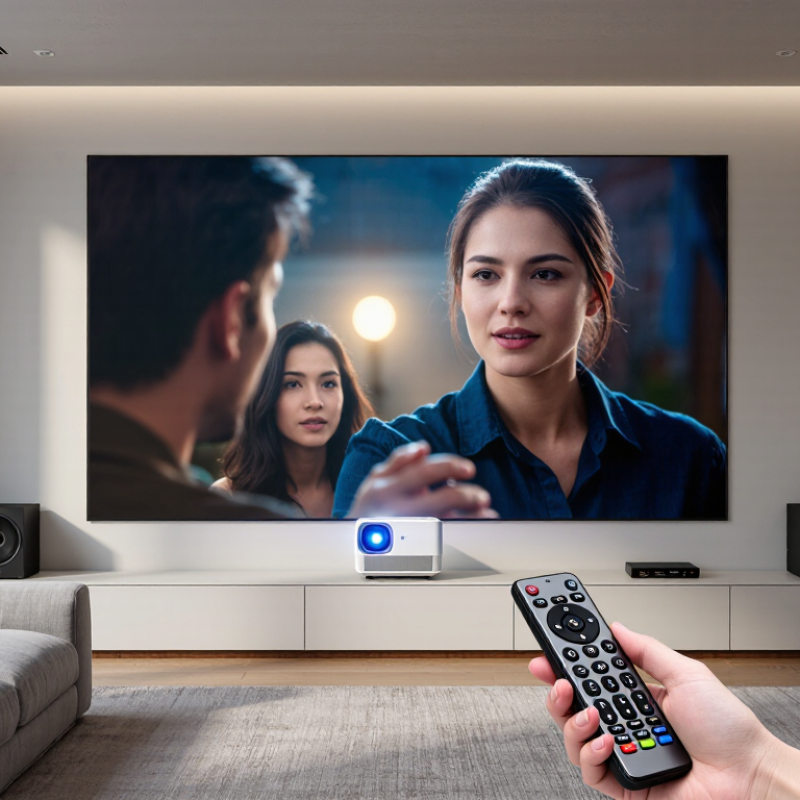
Choosing a short throw LED projector starts with understanding its type. Short throw models usually create a large image from a nearby wall. Their throw ratio commonly ranges from 0.4 to 1.0. Ultra-short throw models sit even closer, often only a few inches away. Portable LED projectors trade brightness for easier movement and quick setup.
Throw ratio matters more than many buyers expect. A 0.5 ratio can produce a 100-inch image from about 50 inches away. Measure the wall, shelf, and viewing distance carefully. Almost. Small placement errors can change image size noticeably. Check resolution too. Full HD suits films and presentations, while 4K reveals finer text and texture.
Match performance to your room Brightness should match the room, not the advertisement. Look for independently measured ANSI or ISO lumens when possible. A dim room may work with moderate brightness, but daylight needs substantially more. Contrast affects shadow detail, while color accuracy matters for photographs and design work. LED light sources usually offer long service life and quick startup. Still, heat management and fan noise deserve attention. I once ignored noise in a quiet bedroom and regretted it. Check input lag for gaming, and confirm automatic focus and keystone correction before buying. Digital correction is convenient, but precise physical alignment usually produces a sharper image.
Choosing a short throw LED projector starts with geometry, not brightness claims. Measure the wall, cabinet depth, and viewing seats first. A projector’s throw ratio equals its distance from the lens to the screen divided by image width. For a 100-inch, 16:9 screen, the image width is about 87 inches. A 0.5:1 model therefore needs roughly 44 inches of lens-to-screen distance. Confirm the manufacturer’s usable range, because lens position and digital correction can change the result.
Room dimensions also control screen size. SMPTE Engineering Guideline EG 18 recommends a horizontal viewing angle of at least 30 degrees for comfortable presentation viewing. From a 10-foot seating distance, that points toward an image around 64 inches wide, or approximately 73 inches diagonally in 16:9. A larger screen may fit the wall but overwhelm viewers, especially with subtitles or detailed spreadsheets. Leave space for speakers, ventilation, and cable bends. Measure twice.
Brightness needs a practical check. ISO 21118:2020 describes methods for measuring projector light output, but real rooms reduce perceived contrast through reflections. A recent industry display-market report from Omdia also shows continued demand for large-screen viewing in homes, yet market growth does not guarantee a suitable installation. I have seen short-throw setups fail because the screen was too large for the room, not because the projector was weak. Ambient light, wall color, and screen gain matter. Recheck the image after sunset; daytime measurements can mislead.
Brightness should be judged on the screen, not the carton. ISO 21118:2020 defines a method for measuring projector light output. Look for ISO lumens, rather than vague “peak brightness.” For a 100-inch screen, 2,000–3,000 ISO lumens usually suits a dim living room. Daylight demands more. The U.S. Department of Energy’s 2023 Solid-State Lighting report also shows why LED efficiency matters: efficient emitters create less heat and support longer operating life. Still, room size changes everything.
Resolution affects detail, especially at short viewing distances. A native 1080p model can look clean for streaming and gaming. Native 4K reveals finer text and fabric texture. Pixel-shifted 4K may appear sharp, but it is not identical to four-million-plus native pixels. I made this mistake once. I judged the menu screen, not moving footage. Compare both.
Contrast controls shadow depth. A high advertised ratio may use dynamic dimming, so inspect dark scenes for crushed blacks and glowing corners. Color needs measurement, too. Rec.709 coverage suits most video content, while DCI-P3 is roughly 26% wider than Rec.709, according to Digital Cinema Initiatives specifications. For trustworthy evaluation, check Delta E, grayscale tracking, and skin tones. The 2024 Omdia projector market analysis highlights continued demand for laser and LED light sources, but light-source type cannot rescue poor calibration. A bright image can still look wrong.
How to Choose a Short Throw LED Projector in 2026?
Smart features should solve daily problems, not decorate a specification sheet. Look for a responsive operating system, automatic updates, and simple voice or remote controls. During testing, open several streaming apps and switch inputs repeatedly. A slow menu becomes irritating quickly. Built-in screen mirroring is useful, but compatibility can vary between phones and computers. Check the supported formats before purchase.
Connectivity deserves practical attention. Choose enough HDMI ports for a media player, game console, and computer. USB playback can help, although some projectors handle subtitles or audio files poorly. Wireless connections are convenient, but a wired option remains more dependable for presentations. I once trusted wireless casting in a bright meeting room, and the connection failed twice. That experience changed my priorities.
Sound quality also affects installation. A clear 10-watt speaker may work in a bedroom, but larger rooms usually need external audio. Check whether the projector supports Bluetooth or a standard audio output. For placement, measure the distance from the lens to the wall, not the projector body. Allow space for ventilation and cable bends. Keystone correction is helpful, but heavy digital correction can soften the image. A fixed wall mount looks neat, while a movable shelf offers easier adjustments. Neither option is perfect.
| Evaluation Area | What to Look For | Practical Target or Example | What to Check Before Buying |
|---|---|---|---|
| Throw ratio and placement | Throw ratio describes the distance from the lens to the screen divided by the projected image width. A lower ratio generally allows a larger image from a shorter distance. | For a 100-inch, 16:9 image, the image is about 87 inches wide. At a 0.8 throw ratio, the lens-to-screen distance is about 70 inches. | Use the projector’s stated throw ratio and installation chart. Measure from the lens, not the rear of the projector, and allow room for cables and ventilation. |
| Brightness | Compare brightness ratings stated in ANSI lumens or ISO lumens, and consider how much ambient light is in the room. | A darker room can make moderate brightness more usable. A room with daylight or lights on generally needs more brightness and benefits from controlled lighting. | Confirm the measurement standard and look for independent test results when available. Brightness may decrease in the most accurate picture modes. |
| Resolution and image size | Check native resolution, supported input formats, and the recommended image-size range. | Native 1080p suits many everyday viewing setups; native 4K provides finer detail, especially on larger screens or at closer viewing distances. | Distinguish native resolution from accepted signal resolution. Verify that the projector supports the resolution and refresh rate of your intended sources. |
| Smart features | Assess the built-in interface, streaming app availability, software updates, voice-control options, and ease of navigation. | A useful smart system should offer the services you watch, straightforward setup, and a clear update policy. | Check app availability in your region and whether subscriptions are required. A separate streaming device can be used if a preferred app is unavailable. |
| Connectivity | Review HDMI inputs, supported video formats, USB ports, audio output, wireless networking, and Bluetooth support. | Plan for enough HDMI inputs for your sources. HDMI eARC or ARC can simplify connection to compatible audio equipment; wireless features vary by model. | Confirm the specific HDMI capabilities needed for your devices, such as 4K, HDR, or high refresh rates. Check whether Bluetooth supports audio output, input devices, or both. |
| Built-in sound | Look at speaker configuration, rated output, audio formats, and available audio connections. | Built-in speakers can suit casual viewing in a small room. A soundbar or external speaker system is usually a better option for fuller sound or larger spaces. | Listen to the projector if possible. Confirm how it connects to external audio and whether the selected connection supports the audio formats you use. |
| Installation and adjustment | Check focus, keystone correction, lens shift, zoom, mounting options, and the projector’s supported orientation. | A short throw setup is sensitive to small position changes. Accurate placement and a flat screen surface can reduce the need for digital image correction. | Verify the lens position, mount compatibility, adjustment range, and ventilation clearance. Digital keystone correction can reduce usable image detail. |
| Screen and wall surface | Consider screen size, gain, material, viewing angle, and ambient-light conditions. | A flat, appropriately sized screen helps maintain geometry. Ambient-light-rejecting screens may help in brighter rooms but must be matched to the projector’s placement and viewing area. | Check screen compatibility with short throw projection. Wall texture, color, and unevenness can affect perceived sharpness and uniformity. |
| Gaming and motion | Review input lag, supported refresh rates, motion handling, and any dedicated low-latency mode. | Lower input lag is preferable for responsive gaming. The achievable refresh rate depends on both the projector and the connected device. | Look for measured input-lag results at the resolution and refresh rate you plan to use, rather than relying only on a general gaming label. |
| Operating noise and heat | Consider fan noise, heat output, and airflow requirements, particularly in quiet rooms or enclosed installations. | A quieter operating mode may reduce fan noise but can also lower brightness, depending on the design. | Check noise measurements and the conditions under which they were taken. Keep air intakes and exhausts unobstructed. |
| Ownership and value | Compare warranty terms, service availability, power use, included accessories, and expected maintenance. | LED light sources generally avoid routine lamp replacement, but brightness can decline over time and other components may still require service. | Read the warranty exclusions and support terms. Include the cost of a screen, mount, external audio, and any required streaming device in the total budget. |
A short throw LED projector can look affordable until the full ownership cost is measured. Start with the purchase price, installation, screen, cables, ceiling hardware, and delivery. A simple worksheet prevents optimistic estimates. For example, a $1,200 projector may need a $350 screen, $180 mount, and $120 installation. Its real starting cost is $1,850, before unexpected changes.
LED light sources usually reduce lamp replacement, but they do not remove maintenance. Dust can gather around filters and vents, especially in classrooms, shops, or rooms with open windows. Inspect airflow every three months and clean according to the technical manual. Budget for filter cleaning, occasional fan service, software support, and electricity. At 20 hours weekly, even modest power use becomes visible on annual bills. Measure actual wattage with a plug-in meter instead of trusting a brochure. Good advice often begins with real measurements.
Long-term value depends on brightness retention, repair access, warranty terms, and daily viewing habits. A cheaper unit may lose value if its image becomes dull after heavy use. Ask for documented operating hours, replacement-part availability, and service response times. I would also test placement before buying. A short throw model can reduce shadows, yet wall irregularities may still expose distortion. My own estimates have been too generous when I ignored setup changes and downtime. Leave a contingency of 10 to 15 percent. That small allowance protects the budget.
Estimated five-year ownership cost by purchase-price tier (USD)
Estimates assume 4 hours of use daily for five years, electricity at $0.16/kWh, and power consumption of 150 W, 200 W, and 250 W for the entry, mid-range, and premium tiers. Maintenance allowances are $50, $75, and $150; no light-source replacement is included. These are planning scenarios, not product quotes. Check each projector’s rated light-source life, filter requirements, warranty, and actual power draw before buying.
It describes the distance needed to create an image. A 0.5 ratio can produce a 100-inch picture from about 50 inches away. Measure carefully. Small placement errors matter.
It can sit only a few inches away, depending on its design. Check the required distance and image size before choosing a shelf or cabinet.
Around 2,000–3,000 ISO lumens usually suits a dim living room. Daylight needs more brightness. Measure the room’s light, not just the projector’s advertised output.
Native 1080p can look clean for streaming and gaming. Native 4K shows finer text and fabric detail. Pixel-shifted 4K can look sharp, but it is not identical.
Look at contrast, color accuracy, grayscale, and skin tones. A bright image can still look wrong. Check dark scenes for crushed shadows or glowing corners.
Yes. Dust can build up around filters and vents, especially in busy or open-window rooms. Inspect airflow every three months and follow the manual. Fans may need service.
Include the projector, screen, mount, cables, installation, delivery, and electricity. One example totals $1,850 before unexpected changes. Leave another 10–15% as a buffer.
Ask about brightness retention, repair access, replacement parts, warranty terms, and service response times. Check actual power use with a plug-in meter. I have underestimated setup changes before. Test the placement if possible.
Choosing a Short Throw Led Projector in 2026 starts with understanding the available projector types and their key specifications. Check the throw ratio and measure your room carefully to confirm that the projector can produce your preferred screen size from the available distance. Then compare brightness, resolution, contrast, and color performance based on your room’s lighting conditions and the kind of content you plan to watch.
Beyond image quality, consider smart features, connection options, built-in sound, and how easily the projector can be installed or adjusted. Finally, look beyond the purchase price: account for maintenance, replacement components, and expected operating costs to estimate long-term value. Matching these factors to your space, viewing habits, and budget can help you select a projector that delivers a practical, enjoyable setup without paying for features you do not need.

Youxi projector