Choosing Commercial Movie Theater Projectors in 2026 is not a matter of buying the brightest model on a spec sheet. The right choice depends on the auditorium, screen, content, and operating budget. A compact neighborhood cinema and a large premium-format room have different needs. So does a theater planning years of daily screenings.
Cinema technology consultant Michael Karagosian is known for a systems-focused approach to exhibition technology. A useful principle for buyers is: “Choose for the whole auditorium, not the projector alone.” This is a concise editorial paraphrase, not a verified verbatim quotation. It captures an important point: image quality depends on more than the projector. Screen width, viewing distance, installation, sound, and room conditions all affect what audiences see. A bright image can still look uneven. Small details matter.
This guide’s outline examines the decisions that shape a dependable purchase: laser or lamp light sources, brightness and resolution, compatibility with existing cinema systems, maintenance, and total cost of ownership. It also considers how to compare manufacturer claims with real auditorium requirements. Ask practical questions. How often will the room run? Who will handle service? Can the chosen model deliver consistent images across the screen? There may be no perfect projector. Trade-offs remain, and a specification sheet cannot answer every question. Careful evaluation helps theater owners choose Commercial Movie Theater Projectors that fit their venue today without overlooking future operating needs.
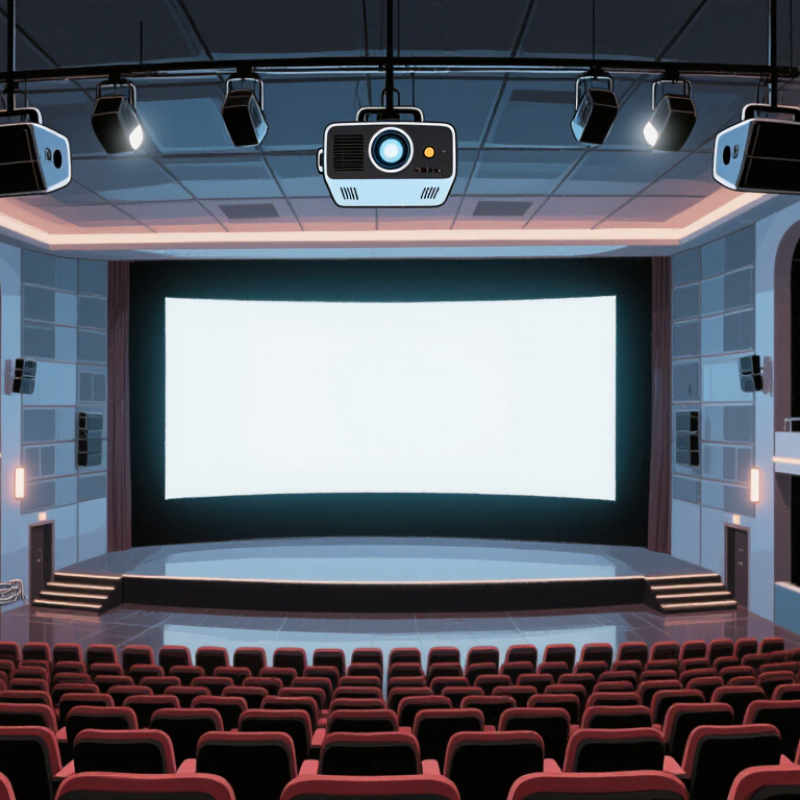
Before comparing projector specifications, document the room and the screenings it must support. Measure screen width and height, lens-to-screen distance, ceiling height, and the positions of the nearest and farthest seats. Note the intended image formats, including scope and flat, and whether 3D screenings are planned. Small details matter. A wide screen or a long throw can change the required lens and light output substantially.
Use recognized cinema standards as a reference, not a substitute for an on-site test. The Digital Cinema Initiatives’ Digital Cinema System Specification sets a reference screen luminance of 14 foot-lamberts, approximately 48 cd/m², for theatrical presentation. SMPTE ST 431-1 also defines reference conditions for digital-cinema screen luminance. Record the measured light level at the screen, then check it across the image; a bright center can hide dimmer corners. Include room lighting, reflective wall surfaces, screen gain, and the expected lamp or laser output over time. These conditions affect the image viewers actually see. A specification sheet cannot reveal every room’s quirks, and measurements may need repeating after installation.
| Theater Scenario | Screen and Seating | Screening Conditions | Projector Requirements to Evaluate | Installation and Acceptance Checks |
|---|---|---|---|---|
| Small auditorium | Approximately 8–12 m screen width; seating typically within 15 m of the screen; standard widescreen or scope presentations. | Mostly 2D feature films; lights off during screenings; occasional low-level aisle lighting. | Digital-cinema image processing and resolution appropriate to the screen and viewing distance. Size light output for the screen area and target luminance rather than choosing by room capacity alone. | Measure the image at the screen after calibration. Check focus and uniformity across the full image, including the corners. |
| Medium auditorium | Approximately 12–18 m screen width; mixed near and rear seating; masking may be used for different aspect ratios. | Regular 2D screenings; controlled ambient light; a wider range of content and aspect ratios. | Confirm the projector can maintain the required calibrated screen luminance at the largest intended image size. Check image-format and masking compatibility. | Calculate the required lens throw ratio from the projector-to-screen distance and image width. Confirm that the available lens range covers the installation position. |
| Large auditorium | Approximately 18–24 m or wider screen; long viewing distances; a large image area increases light-output demand. | High-attendance feature screenings; typically dark-room operation; possible premium-format presentations. | Allow adequate calibrated light-output headroom for the actual screen size, aspect ratio, and screen gain. Evaluate resolution, contrast, and uniformity at the intended image dimensions. | Use a screen-luminance measurement at the center and across multiple screen positions. Confirm performance with the longest intended feature presentation and operating settings. |
| 3D auditorium | Any screen size; the usable 3D image area and viewing positions should be assessed with the selected 3D system. | Stereoscopic screenings; glasses and the 3D display system reduce the light reaching the viewer. | Verify compatibility with the 3D system and assess light output through the complete optical path. Set the 3D luminance target with the system integrator; do not assume 2D brightness will be available in 3D. | Measure luminance through the intended glasses and 3D setup. Check left/right eye separation, image alignment, and viewing quality from representative seats. |
| Premium large-format room | Large screen with wide seating coverage; screen curvature, gain, and viewing angles may affect uniformity. | High-impact presentations; may include high-frame-rate or other enhanced content, depending on the program and equipment. | Match resolution, frame-rate capability, image processing, and light output to the specified presentation formats. Consider screen uniformity and contrast across the full seating area. | Verify every intended format, frame rate, and aspect ratio. Check for edge softness, geometry errors, and brightness variation from front to rear seating positions. |
| Multipurpose commercial room | Small to medium screen; room may also host presentations or events with varied seating layouts. | Some screenings may use low-level room lighting; projected material may include cinema content, slides, and live feeds. | Prioritize the required cinema playback capability and assess whether the projector can meet the room’s separate presentation needs. Ambient light reduces perceived contrast. | Test cinema content with the room lights at the actual screening level. Check source switching, audio synchronization, and the intended screen aspect ratios. |
Planning note: As a common reference for calibrated 2D digital cinema, DCI specifies a screen luminance of 14 foot-lamberts for a reference white image. Actual selection depends on screen area, screen gain, image format, optical losses, calibration, and the presentation system. Confirm targets and compliance requirements with the theater’s technical specification and a qualified installer.
Record screen width and height, lens-to-screen distance, ceiling height, and the nearest and farthest seat positions. Note the planned image formats and whether 3D screenings are expected. Room notes are easy to neglect.
A common cinema reference is 14 foot-lamberts, about 48 cd/m², for 2D presentation. Measure light on the screen, not just the projector’s listed output. Check the center and corners.
The center may look bright while the corners appear dimmer. Measure across the whole image with the room in normal show condition. I might repeat the readings after installation; one test can miss a room’s quirks.
A wide screen or long throw can require more light and a suitable lens. Reflective walls, room lighting, screen gain, and aging light sources also affect the image viewers see.
Match resolution to the content and viewing distance. 2K means 2048 × 1080 pixels, while 4K means 4096 × 2160. A 4K label alone may not reveal extra detail from the back row.
A common cinema reference calls for at least 2000:1 sequential contrast. Test dark scenes during an actual screening. Aisle lights and pale walls can make blacks look gray.
Confirm support for Flat and Scope formats, commonly 1.85:1 and 2.39:1. Test masking with real trailers and feature content, since the screen setup may behave differently than expected.
No. They cannot show every room condition or reveal how the image looks from each seat. Measure on site, then check brightness, black levels, and image framing during a screening. I may be overchecking, but rooms are not tidy.
Choosing Commercial Movie Theater Projectors in 2026 starts with understanding the venue and how it will be used. Consider screen size, seating distance, ambient light, expected audience capacity, and the types of content shown. These conditions help narrow the choice of projection technology and light source, while also clarifying the brightness, resolution, contrast, and image formats needed for a clear, consistent viewing experience.
Before making a decision, check that the projector can be installed in the available space and integrated with the theater’s existing screens, sound equipment, and control systems. Compare the full cost of ownership, including installation, energy use, maintenance, and replacement parts, rather than focusing only on the purchase price. Finally, review warranty terms and the availability of dependable technical support to help keep screenings running smoothly over time.

 Youxi projector