A home theater can feel different when a film spreads across a large screen. A 4k Home Theater Projector can reveal fine textures, crisp subtitles, and small details in a wide image. The effect depends on more than resolution, though. The movie or streaming source must provide suitable 4K content, and the projector must be set up correctly. On a screen near 100 inches, a sharp image can feel immersive from the right seat. Sit too close, and image flaws may become easier to notice.
Room conditions matter. A darkened room helps preserve contrast, while light-colored walls can reflect stray light and soften the picture. Brightness, screen material, throw distance, and lens placement all shape what viewers actually see. A projector’s specification sheet cannot tell the whole story. It is worth checking whether the model fits the room, not just whether its headline resolution sounds impressive. Still, sharper is not always better.
Choosing a projector also means considering setup and everyday use. Check the available connections, focus and zoom controls, fan noise, and compatibility with your preferred devices. HDR support can be useful, but its results vary by projector and viewing conditions. If possible, compare projected images in a room similar to yours. The most impressive display in a showroom may not look the same at home. A little planning helps set realistic expectations and makes the upgrade more satisfying.
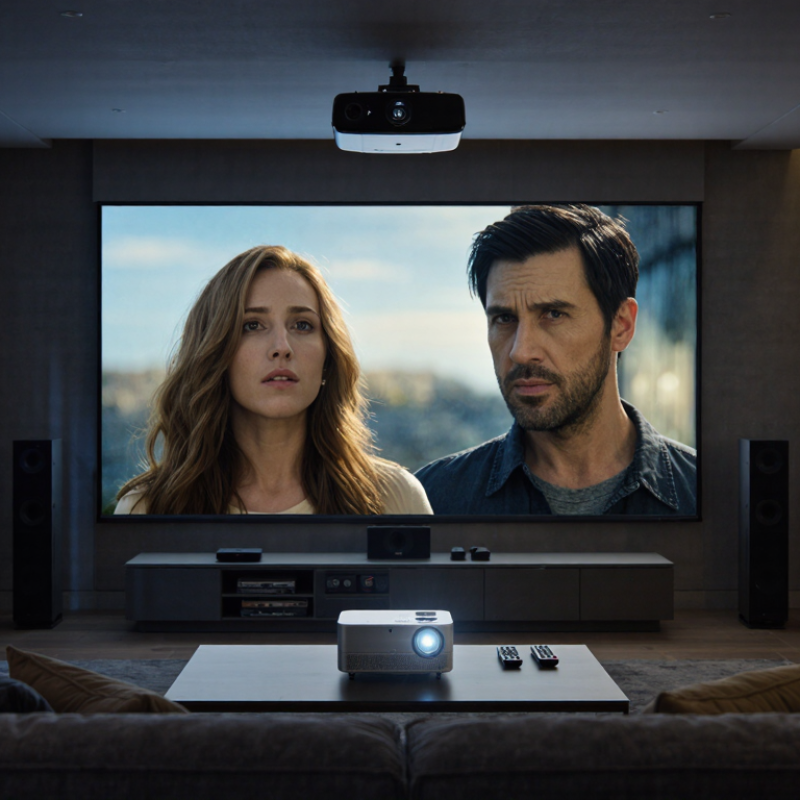
Understanding 4K Resolution in Home Theater Projectors
Understanding 4K resolution means looking beyond the label. A 4K UHD image measures 3,840 × 2,160 pixels, or about 8.3 million pixels. The Consumer Technology Association uses these dimensions in its 4K Ultra HD definition, and ITU-R Recommendation BT.2020 specifies the same UHD image format. That is four times the pixel count of 1920 × 1080 Full HD. Fine details can look cleaner, especially on a large screen: think of hair strands, small subtitles, or leaves in a distant landscape. Small details matter.
But resolution is only one part of image quality. A projector’s lens, focus, screen, brightness, and viewing distance all affect what you actually see. Some models create a 4K-like image through pixel shifting rather than using a native 4K imaging chip. That difference may matter to careful buyers, so check the manufacturer’s technical specification for the imaging method. A sharper image is not guaranteed by the number alone. Not always.
Tips: Sit where individual pixels are difficult to distinguish, and compare native and pixel-shifted specifications. Use a detailed 4K test image, then inspect small text from your usual seat. A tiny caveat: room lighting can still wash out fine detail.
Why Choose a 4K Home Theater Projector?
4K UHD resolution (3840 × 2160) displays about 8.3 million pixels—four times the approximately 2.1 million pixels of Full HD 1080p (1920 × 1080). More pixels can reveal finer detail, especially on larger screens.
Key Benefits of Choosing a 4K Home Theater Projector
A 4K home theater projector can make a large image look more detailed, especially on a wide screen viewed from a relatively short distance. Fine textures become easier to notice: stitching on a jacket, leaves in a distant tree, or small lettering in a scene. The extra resolution is most useful when the video source is genuinely 4K. Lower-resolution footage may still look good, but it cannot reveal detail that was never recorded. Details matter.
A larger image can also make films and sports feel more involving without crowding a living room with a huge television. For a practical comparison, sit at your usual viewing distance and check whether individual pixels are visible on your current screen. The improvement depends on screen size, seating position, lens quality, and setup—not resolution alone. That is noticeable. A sharp image can still look flat if the room has stray light or the projector lacks enough brightness for the screen.
Before choosing a model, consider the room’s light control, throw distance, screen surface, and the types of content you watch. 4K support does not guarantee strong contrast, accurate color, or effective HDR. Those qualities vary, and specifications can be hard to compare. I would treat resolution as one part of the decision, not the whole reason to buy. Not always.
Why Choose a 4K Home Theater Projector? — Key Benefits
| Dimension |
Relevant data |
Potential home theater benefit |
What to keep in mind |
| Image resolution |
3840 × 2160 pixels equals 8,294,400 pixels per frame. Full HD (1920 × 1080) equals 2,073,600 pixels. |
4K UHD contains four times as many pixels as Full HD, allowing compatible content to show finer image detail. |
The benefit depends on the projector’s imaging system and the resolution of the source material. |
| Large-screen viewing |
On a fixed-size screen, 4K UHD has four times the pixel count of Full HD. |
Additional pixels can make fine details appear smoother and less visibly pixelated on a large image. |
Screen size, viewing distance, focus, and image quality all affect how noticeable the difference is. |
| Seating distance |
The visibility of individual pixels depends on both screen size and how far viewers sit from the screen. |
For viewers seated relatively close to a large screen, higher resolution can help preserve perceived image detail. |
There is no single ideal distance for every room; eyesight and personal preference also matter. |
| 4K content |
Native 4K video provides up to 3840 × 2160 source pixels per frame. |
Movies, shows, and other content mastered in 4K can make use of the projector’s higher-resolution display capability. |
A 4K projector cannot restore details that are absent from a lower-resolution source; upscaling is not the same as native 4K. |
| HDR and color |
4K resolution describes pixel dimensions; HDR support and color performance are separate specifications. |
A compatible projector, source, and HDR program can provide a wider range of brightness and color than compatible standard-dynamic-range playback. |
Choosing a 4K projector alone does not guarantee HDR support, a particular color gamut, or high brightness. |
| Room and screen setup |
Projected image size depends on the projector’s throw ratio, placement, lens, and available room distance. |
A suitable installation can provide a cinema-style image that fits the room and viewing area. |
Check throw distance, lens adjustment, screen gain, ambient light, and projector brightness before choosing a setup. |
Factors to Consider When Comparing 4K Projectors
Why Choose a 4K Home Theater Projector?
When comparing 4K projectors, check native resolution rather than relying on “4K” alone. The Consumer Technology Association’s Ultra High Definition definition sets 3,840 × 2,160 pixels as the consumer baseline. Digital Cinema Initiatives specifies 4,096 × 2,160 for cinema 4K, a different format. Ask whether the projector displays every pixel natively or uses pixel shifting. The distinction matters most when sitting close to a large screen. Measure twice.
Brightness needs to suit the room, not just impress on a specification sheet. In a dark room, a 100-inch image may look vivid at lower output than it would beside open curtains. Compare brightness ratings measured under consistent conditions, and consider how color accuracy changes in brighter modes. Contrast also shapes perceived detail: deep blacks help shadowed scenes, while strong highlight performance keeps bright clouds from looking flat. Manufacturer figures alone do not guarantee either result.
Check throw ratio, lens shift, and available inputs before choosing a model. A throw-ratio calculation can reveal whether the projector fits your room’s distance and screen width; lens shift can help align the image without awkward mounting. For HDR, look for supported formats and real-world tone mapping, since a projector cannot reproduce the same peak brightness as many televisions. I would still test the image in the actual room when possible. A tidy specification table can hide a disappointing setup.
Matching a 4K Projector to Your Room and Setup
A 4K projector works best when its image size suits the room, not just the screen you hope to buy. Measure the distance from the planned lens position to the screen, then compare it with the projector’s throw ratio. A short room may not support a very wide image. Check the actual dimensions before rearranging furniture. It saves hassle.
Room light matters, too. In a bright living room, daylight can wash out dark scenes, even on a high-resolution screen. Blackout curtains or evening viewing can help more than simply choosing a larger image. A matte screen may reduce distracting reflections, but it cannot fix every lighting problem. I’d treat advertised brightness as one part of the decision, not a guarantee of picture quality.
Look for placement features that fit your setup. Lens shift can help align the picture when the projector cannot sit directly in front of the screen; digital keystone correction may soften fine detail. Check ceiling height, mounting clearance, power access, and ventilation before choosing a spot. Leave room for cables and airflow. Also consider fan noise near seating, and whether built-in speakers are enough for your space. My own planning would still include a little slack: room measurements are easy to get wrong.
Conclusion
A 4k Home Theater Projector can bring a more detailed, immersive viewing experience to your home. Its higher resolution displays finer textures, clearer edges, and subtle details that may be less visible on lower-resolution screens, especially when viewing compatible content on a suitably sized screen. The result is a picture that can feel more lifelike and engaging for films, shows, and other entertainment.
When comparing 4K projectors, consider more than resolution alone. Brightness, contrast, color performance, connectivity, and image-processing features can all affect the final picture. Your room also matters: screen size, viewing distance, ambient light, and available placement options influence how well a projector will perform. By balancing these factors with your budget and setup, you can choose a 4K projector that fits your space and delivers a satisfying home theater experience.

 Youxi projector